01
Read
A curated library with chapter companions and hundreds of LibriVox audiobooks to listen beside the text. Import EPUB and PDF. Continue where you stopped—progress and reading time on the edition you opened.
A name blurs. A citation won't resolve. A line refuses to settle. You leave to look it up—and the thread you were holding slips.
BetterReads is a reading system. It keeps you inside the book—to learn, research, and study without leaving the page. Progress, session time, and what you mark stay on the book you're in.
Also on iOS, Android & Mac
Help beside the text—quiet when you don't need it.
Try it — tap the name
Then rose, and grief hung close about him, wondering if his father still lived, or wandered far from home.
Tap the name — see who they are without losing your line.
Tabs, summaries, and shelf apps each solve one piece. BetterReads keeps you inside the book—and builds memory from what you actually read.
The reading system
The text and what you do with it come first—help on the line, marks that return, study built from your reading. Shelf states and dates follow; they never replace the page.
01
A curated library with chapter companions and hundreds of LibriVox audiobooks to listen beside the text. Import EPUB and PDF. Continue where you stopped—progress and reading time on the edition you opened.
02
PDFs are read as books, not as downloads. Outline and citations, painted find, figure capture, and Ask that jumps to the page it quoted.
03
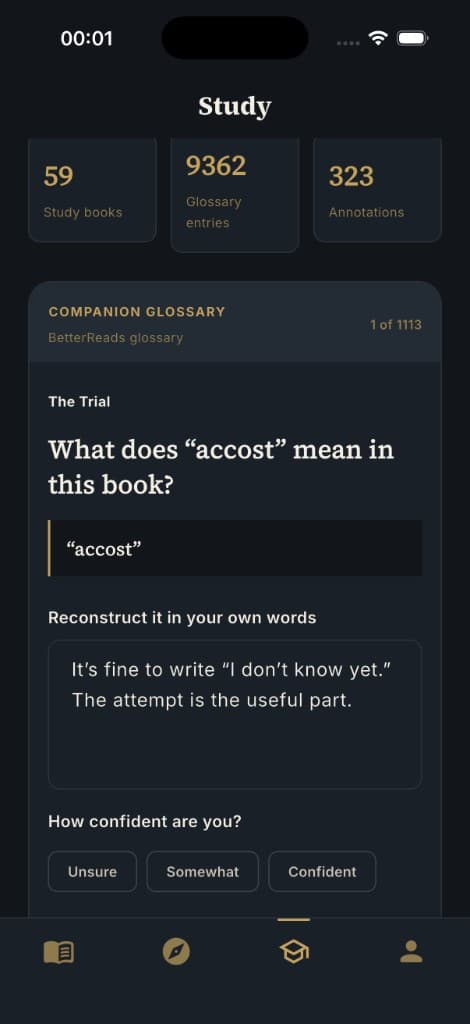
Today's Review brings back glossary, characters, and notes on a spaced schedule. Optional coaching only after you've tried—never an answer vending machine.
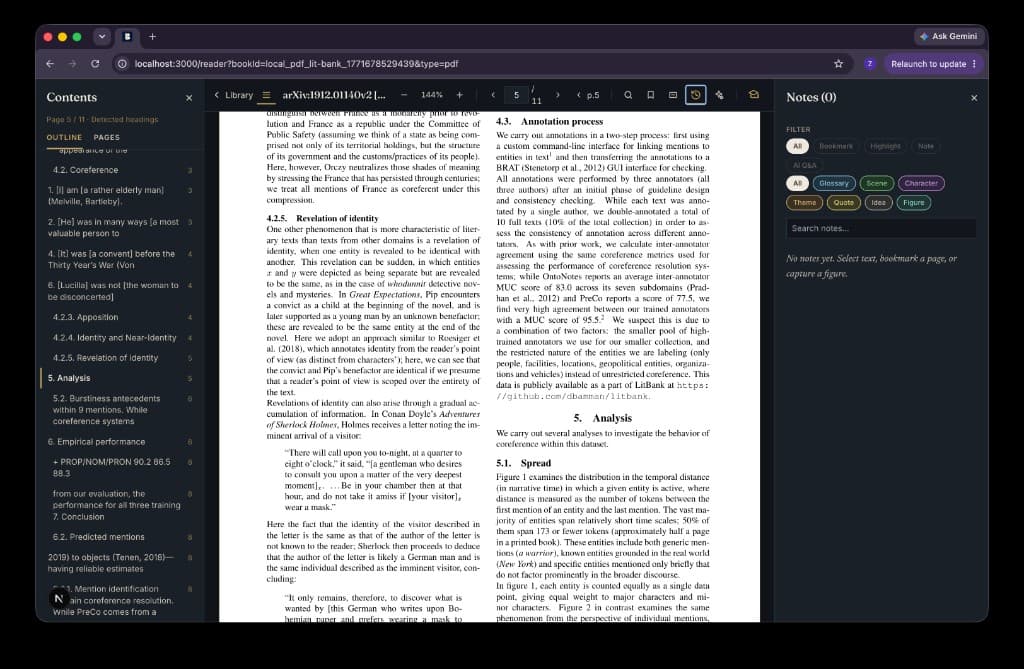
Research
Import a PDF and treat it like a book—not a file you download and forget. BetterReads is for reading arguments: outline in a side panel, notes beside the page, and tools that stay attached to the line you're on.
Stay with the page for people, difficult lines, citations, and the notes you meant to return to.
01
Tap it. A short card appears. Close it—and you're still on the same line.
Novels, plays, and verse each get their own lens—companions that match the shape of the text, not one template for every book.
Your place stays yours.

02
Open a free classic—or listen with LibriVox narration synced to the chapter you're on.
Import the EPUB and PDF you already own. Track a title you read on paper or Kindle when the file lives elsewhere.
The catalog is a beginning, not a fence.

03
Glossary, notes, and saved passages become recall prompts on a spaced schedule—across every book you read here.
Try in your own words first, then reveal what you saved. Again · Hard · Good · Easy sets when it returns.
Memory built from reading—not from rereading a pile of marks.
Reading life
BetterReads is not Goodreads or Hardcover. We don't optimize for a social graph or a trophy shelf. What you actually do while reading—sessions, progress, highlights, glossary cards—stays on the book you opened.
Track because you read—not the other way around.
Open your bookshelfLibrary
The catalog is how most people start—pathways, ranked lists, and shelves in the original language. The system does not stop at the public domain.
Switching from Goodreads?
On web, import a Goodreads CSV export. Shelves, dates, ratings, and read counts map onto your library so you can pick up in the reader—not maintain a parallel tracker. Manual edits you make in BetterReads are kept on re-import.
Goodreads import FAQ →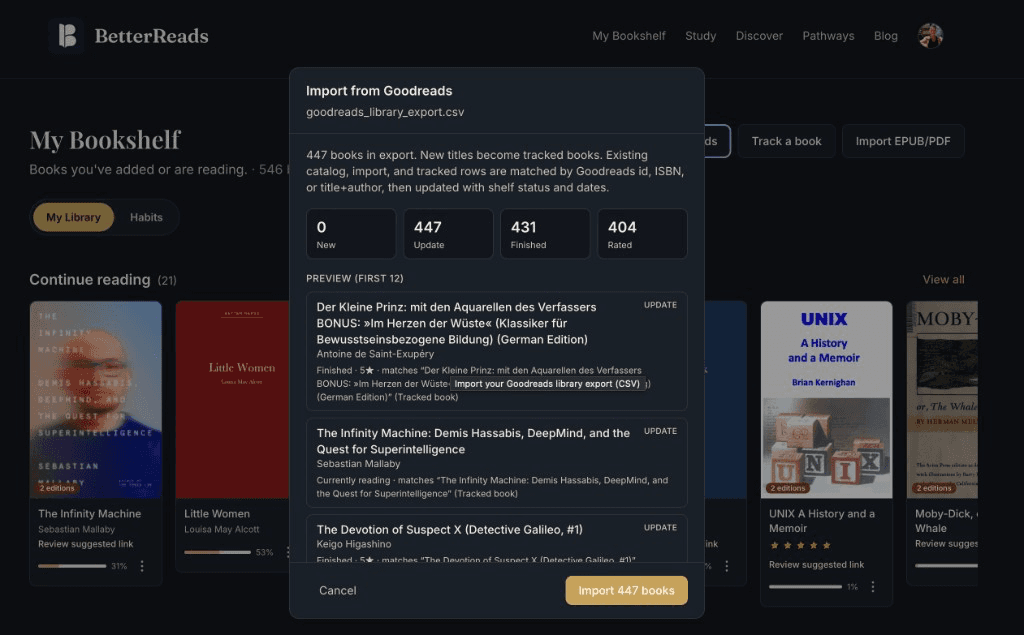
Mac, phone, tablet, and web
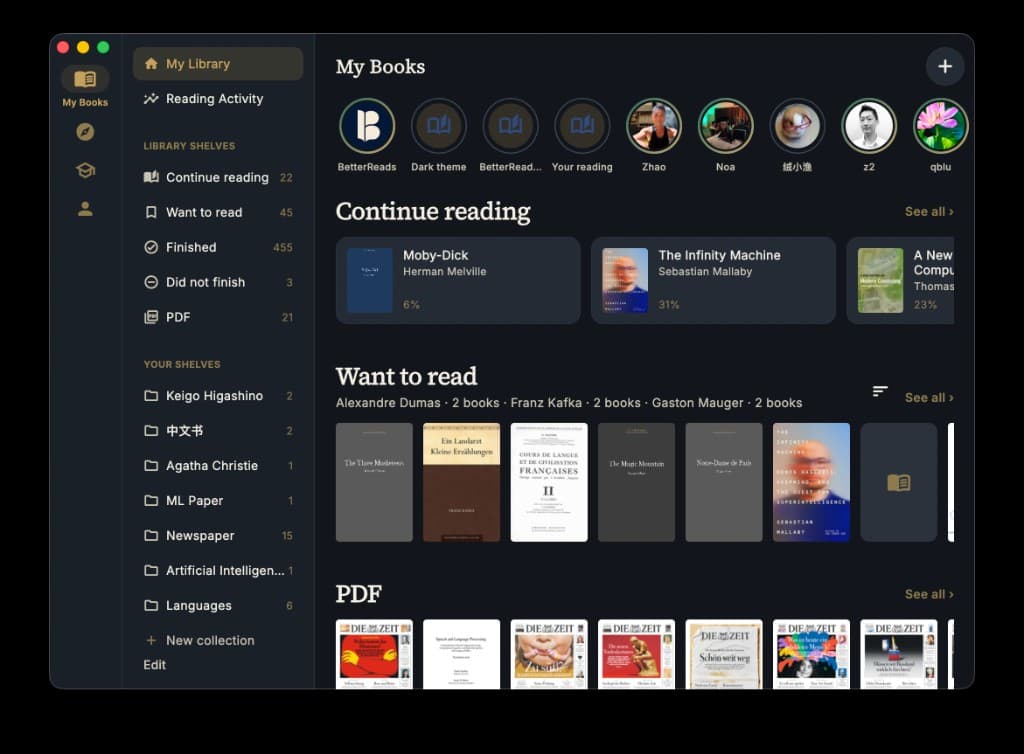
Read on your phone between things. On Mac, the library lives in a sidebar—each book or PDF in its own window, with contents and notes beside the page. The browser gets the same reader and PDF tools when you want a larger screen.
One account. No ceremony.
Sign in to the same BetterReads account on phone, Mac, tablet, and web. No pairing codes, exports, or manual transfers.
Friction teaches quitting—not from laziness, but because each interruption makes returning heavier.
When you no longer have to decide whether to stop and look something up, you often simply keep reading. What you marked can come back tomorrow, instead of disappearing into a highlight graveyard.
Context-switching doesn't only cost time—it costs the understanding you were mid-way through forming.
We don't replace reading with summaries.
We don't flatten difficulty into slides.
We don't turn a book—or a paper—into another feed.
We don't ask you to curate a shelf instead of reading.
We stay beside the text—present when you reach, quiet when you don't.
Questions
Yes—download and browse freely. Scholar is optional, for full chapter companions and study depth.
Over 1,665 curated public-domain titles—including original-language shelves in Deutsch, Français, and 中文—and growing. Many include LibriVox audiobooks synced to chapters. Import your own EPUB and PDF, or track a book you read on paper, Kindle, or elsewhere.
Yes—on the web bookshelf, import your Goodreads CSV export. Shelves, dates, ratings, and read counts map onto BetterReads. Edits you make here are kept when you re-import.
No. Guides sit beside the book, never instead of it.
No. Start a free chapter preview without signing up. Create an account when you want to save progress, import files, and sync with the apps.
iOS, Android, Mac, and the web—including tablet browsers. Same library and progress across the devices you already have.
If a book—or a paper—has ever cost you the thread, try staying with the page.
